 ekera
ekera The product: the workspace, the screens and the deliverables
Ask a question, review the sources, prepare your decision. The screens show Ateliers Morvan, a fictitious example.
Ask a question. Review the sources. Prepare your decision.
- Query the map in plain language: “what would happen if our ERP were unavailable for three days?” Ekera shows the processes affected, the dependencies and the financial estimate, when the data allow an answer.
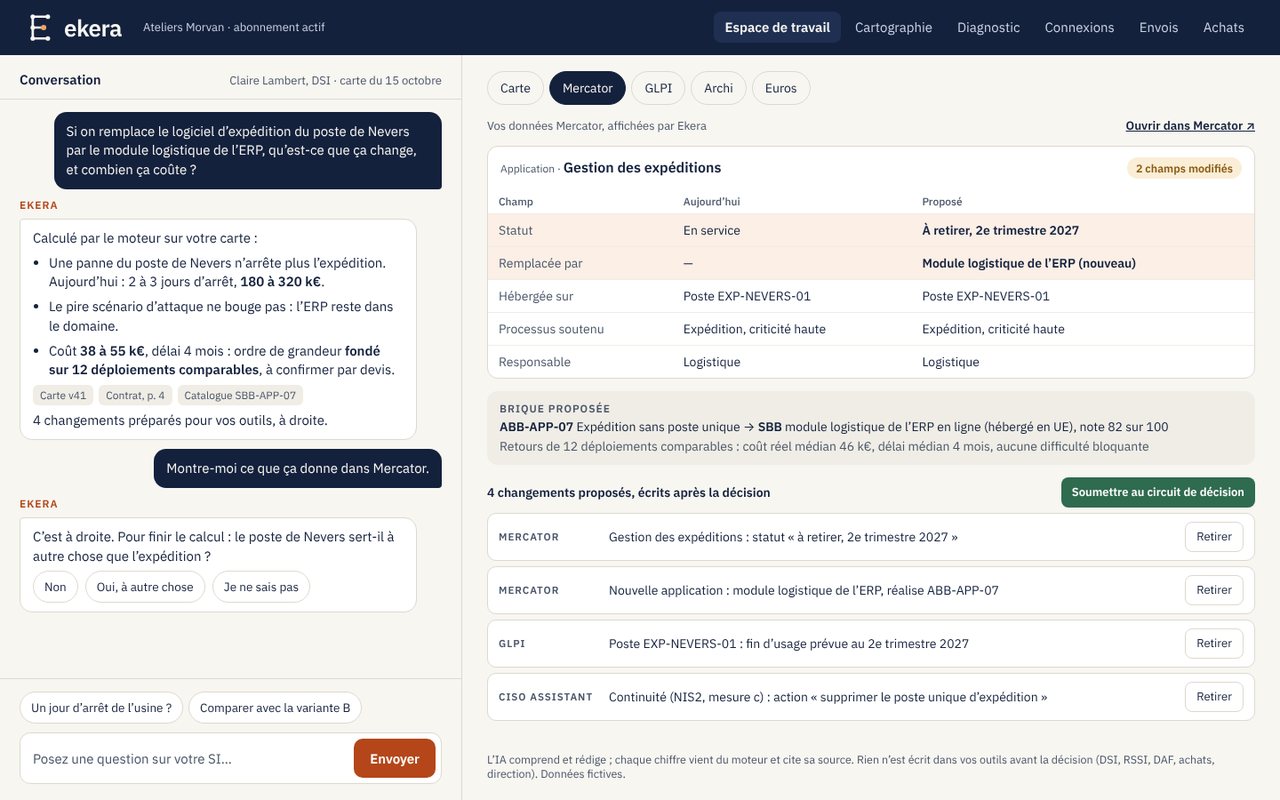
- Or: “what would replacing our shipping application change?” If information is missing, Ekera says so instead of giving an unsupported answer.
- Every finding links to its sources; calculated figures are kept apart from declared information and assumptions.
- Those who do not log in receive a weekly summary, with the approvals to give.
The point is not only to get an answer, but to understand what it rests on.
Ekera in screens: from your documents to risk in euros and the NIS2 assessment, then continuous monitoring
Fictitious example. The screens show Ateliers Morvan, a fictitious industrial mid-sized company with 420 employees, with fictitious data.
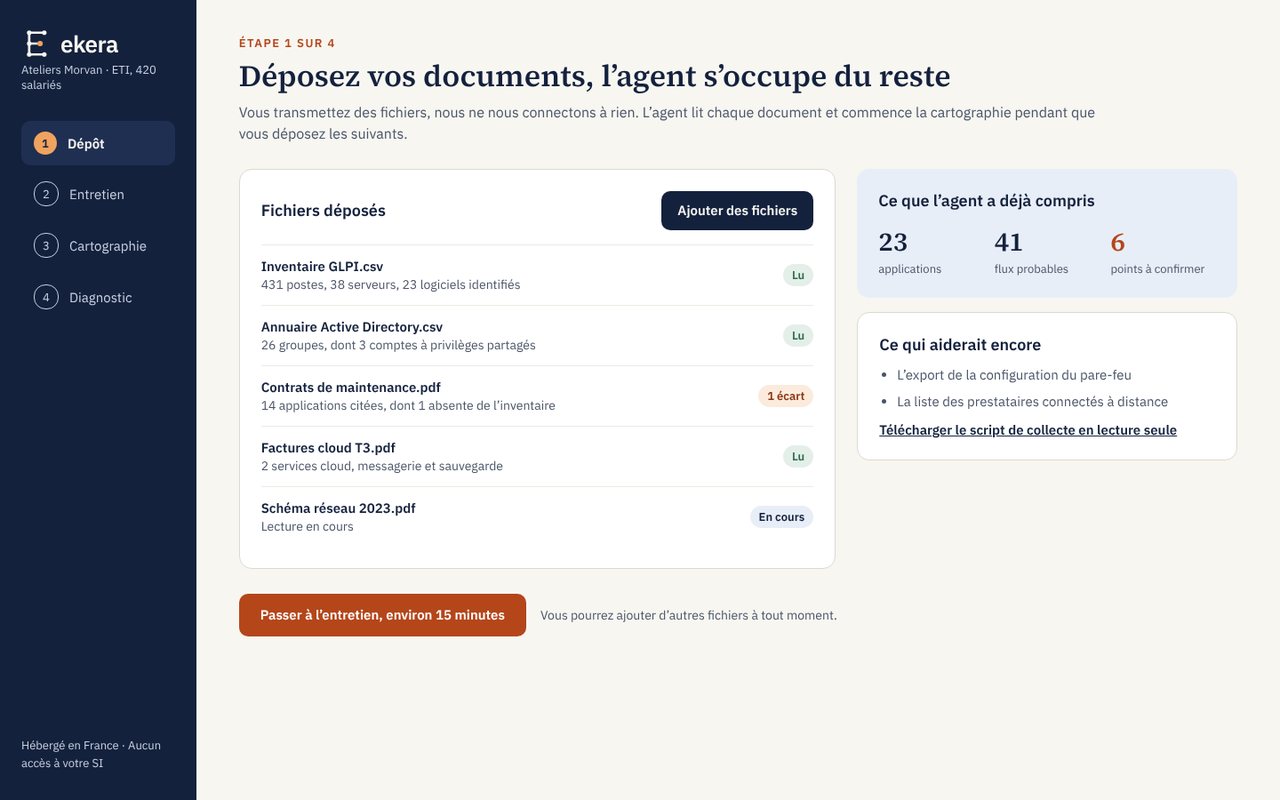
Document upload
Module: IT mapping
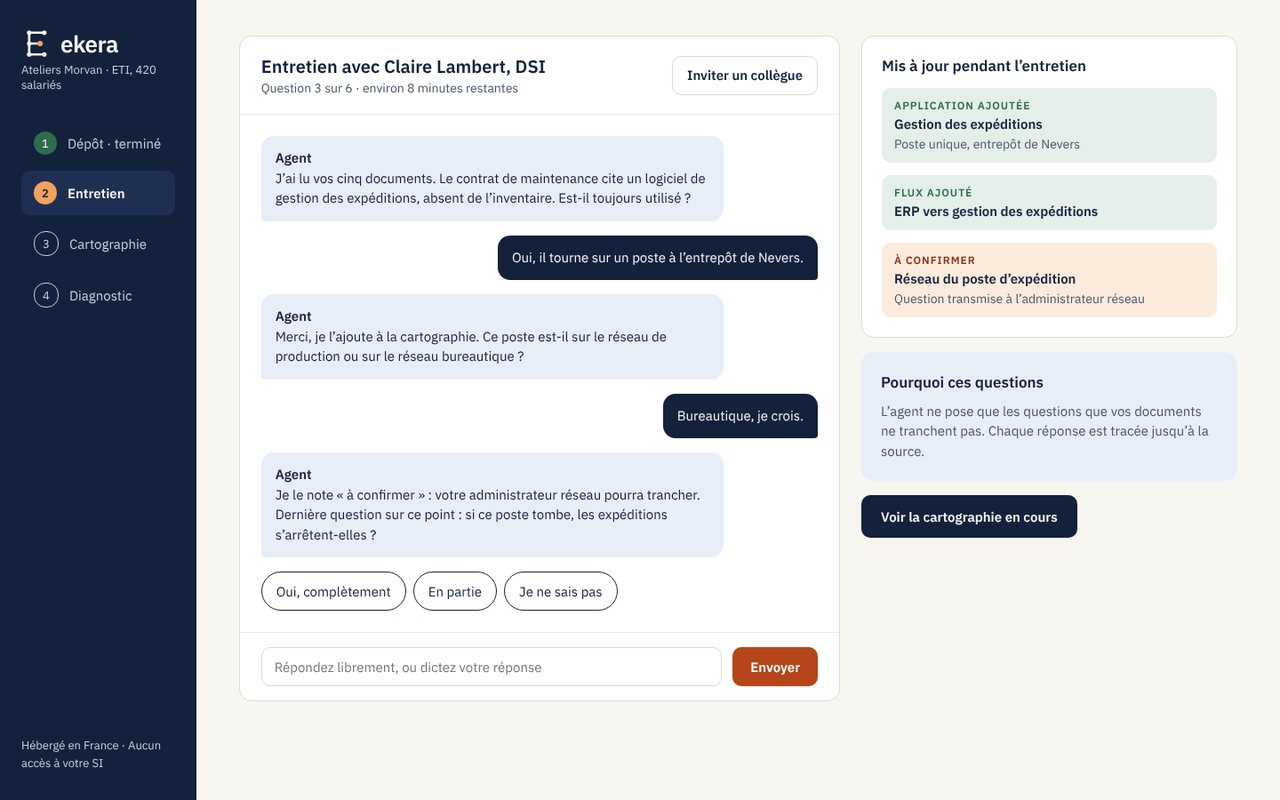
AI-led interview
Module: IT mapping
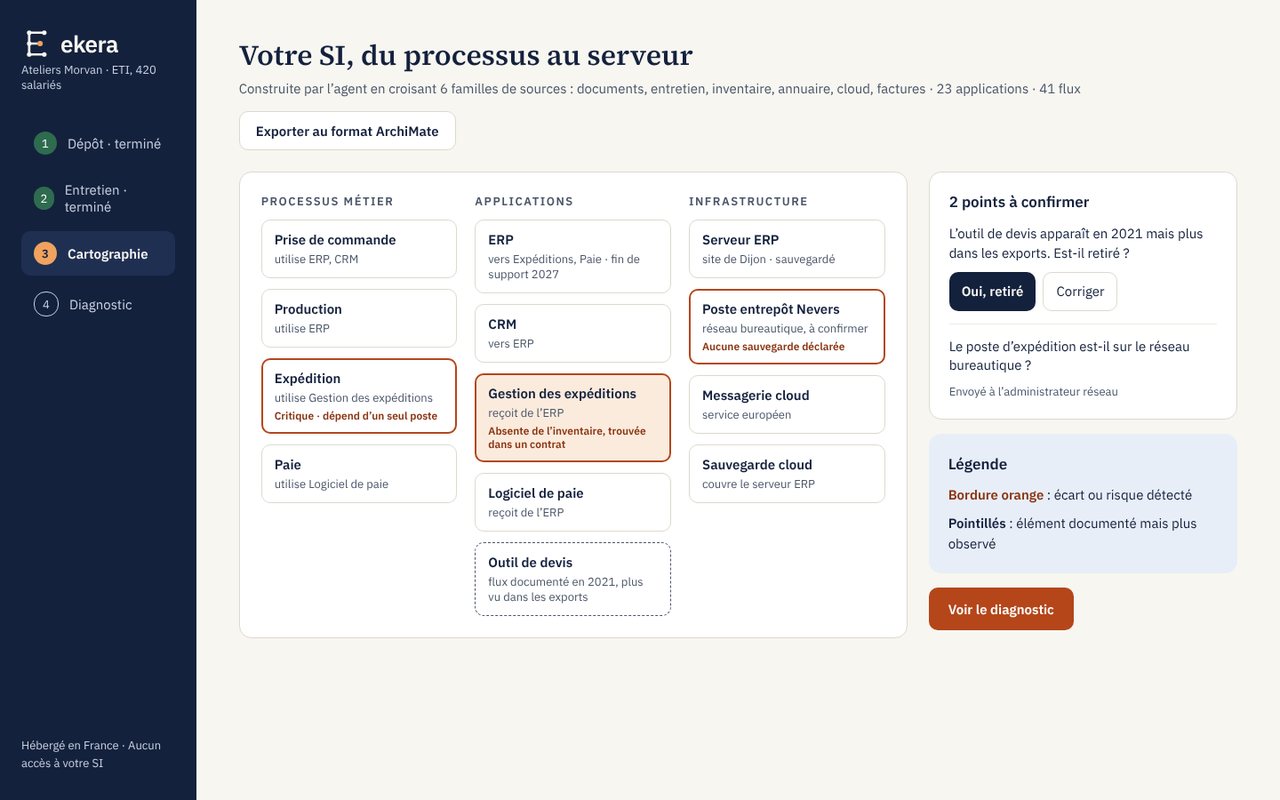
IT mapping
Module: IT mapping
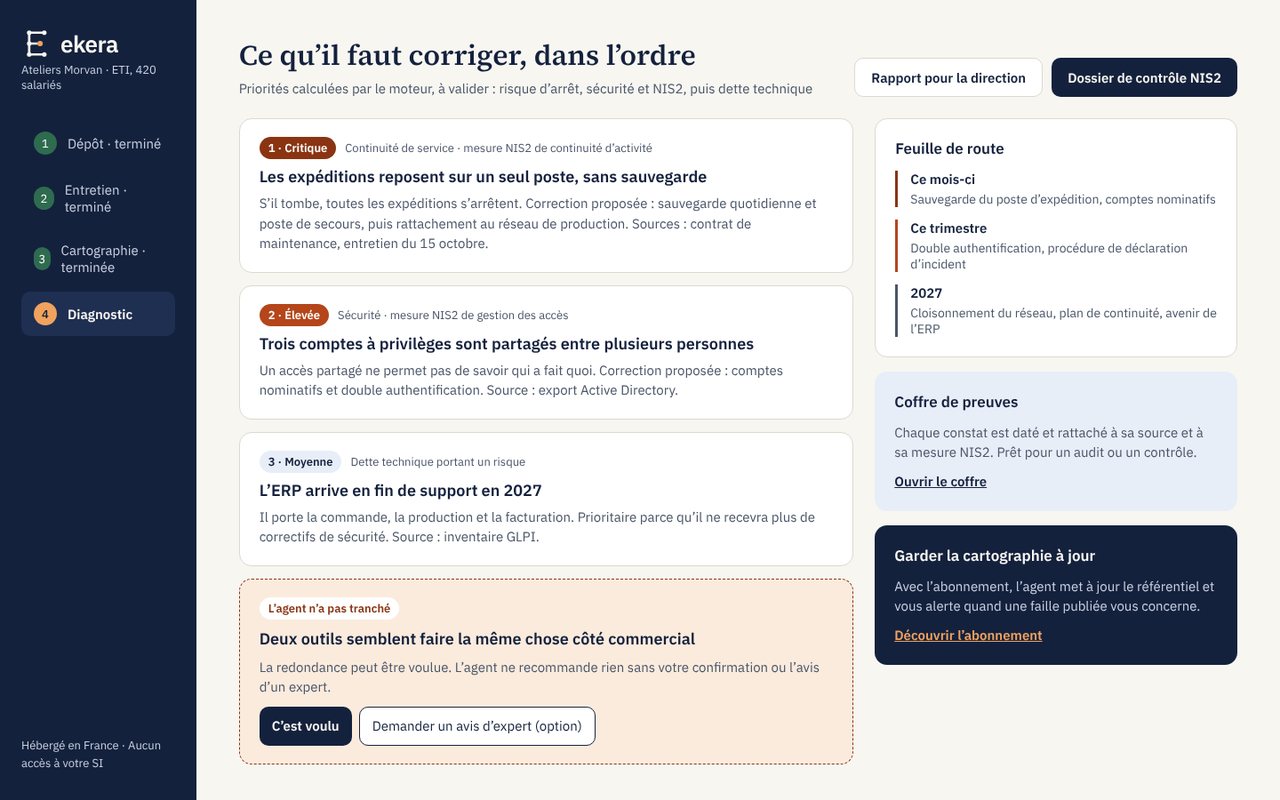
Assessment and priorities
Module: Risk analysis · NIS2
Query the map
Module: Costing in euros
Ask your question in plain language. Every figure comes from the calculation engine, never from the language model, and every fact cites the object and the document it comes from. When the map cannot answer, Ekera says so and shows what is missing.
Sources and connectors
Module: IT mapping
| Source | |
|---|---|
| GLPI inventory | up to date |
| Directory | up to date |
| Firewall | export older than 10 days |
| Backups | test failed: expired certificate |
| Accounting | FY 2025 |
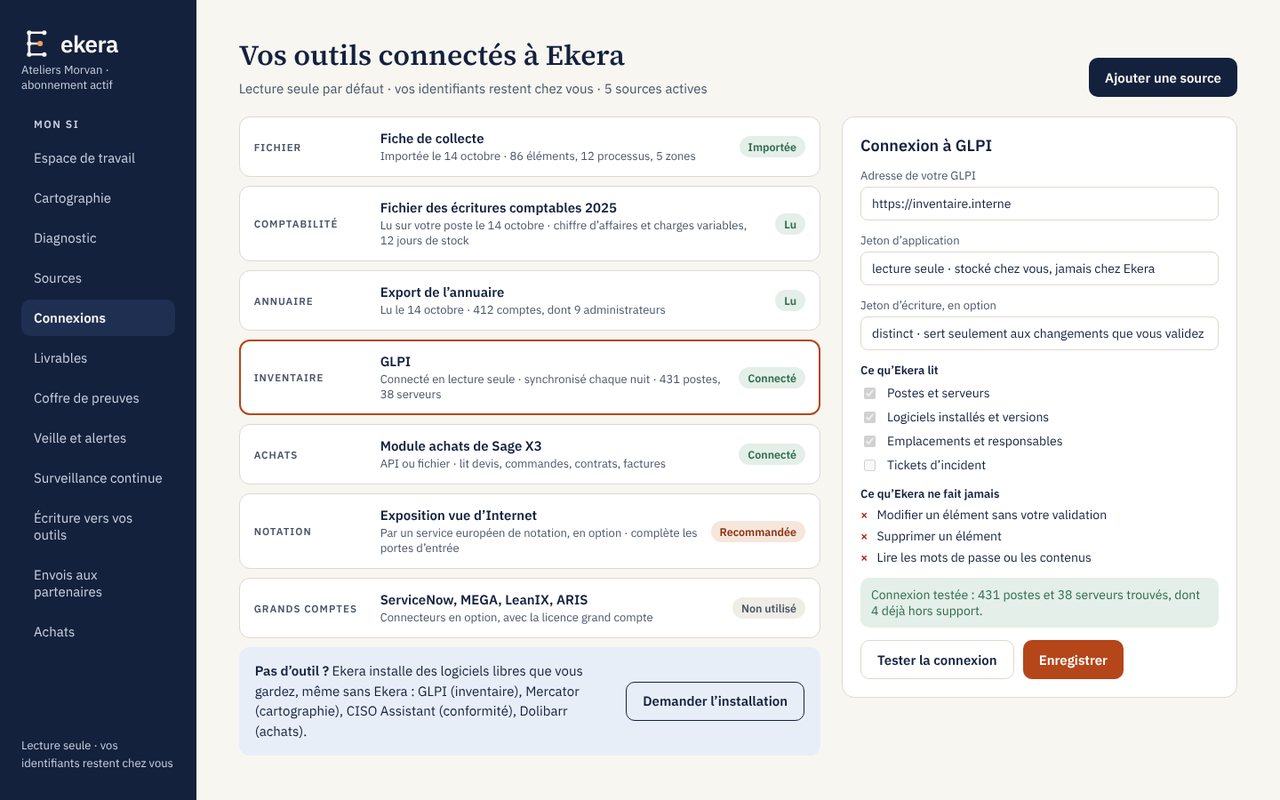
Every source shows where it comes from and what state it is in. A connection test before the first read; your credentials stay in your vault and Ekera only keeps the reference; the collector installed on your premises opens no inbound port.
Read-only connections
Module: IT mapping
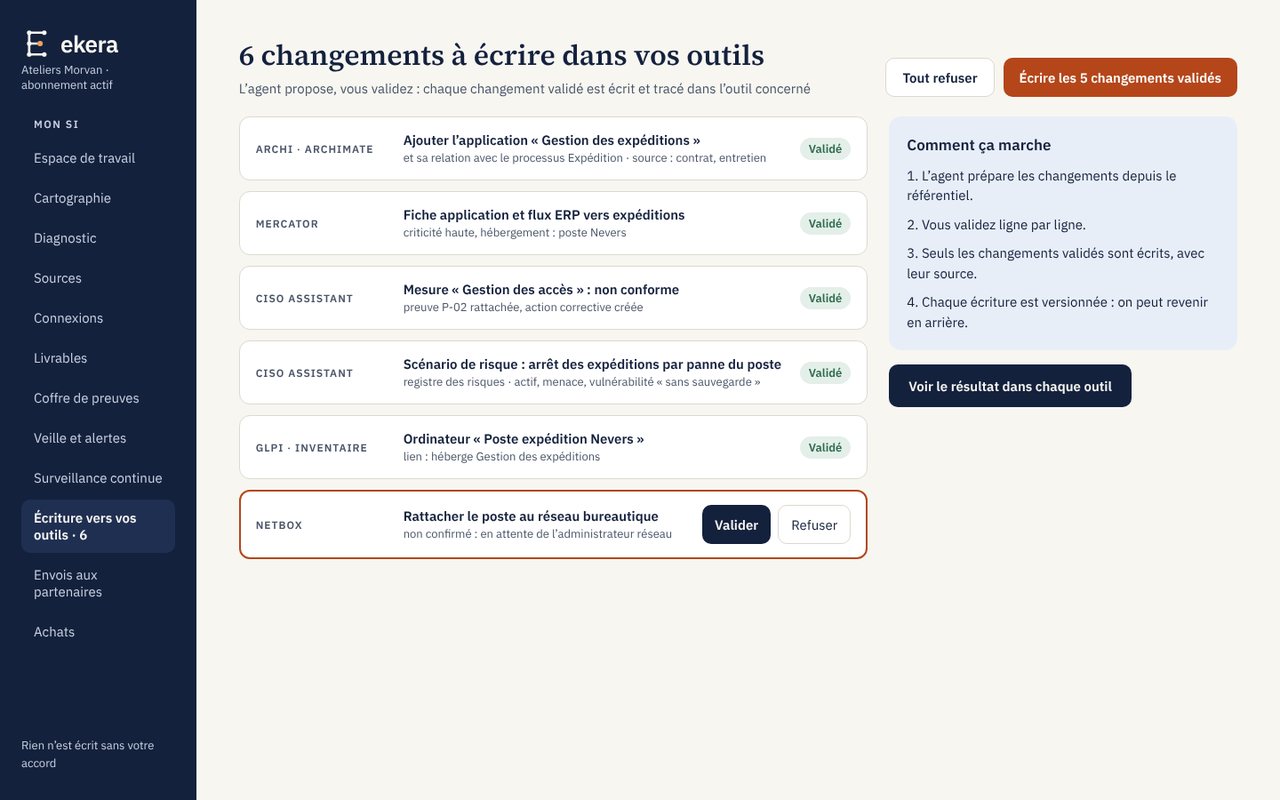
Approved writes
Module: IT mapping
Purchasing: quotes, orders, contracts
Module: Action plan
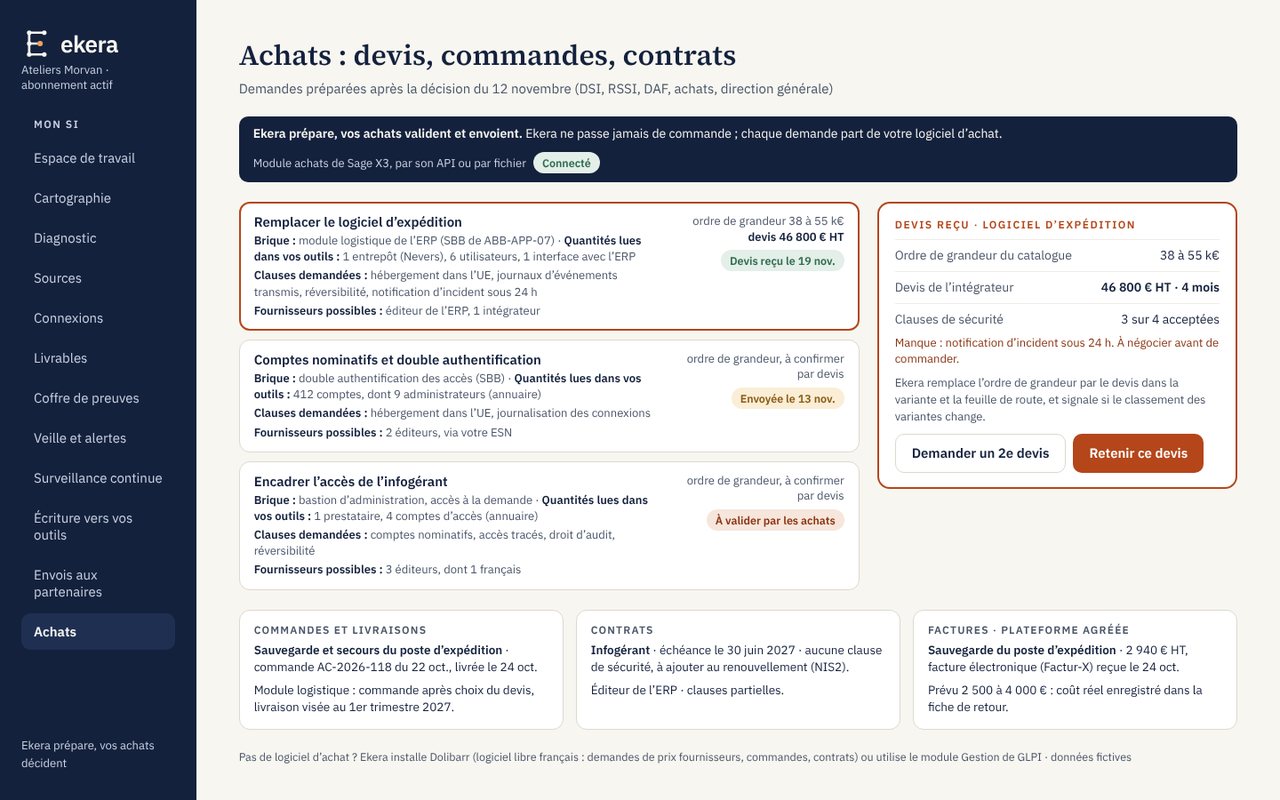
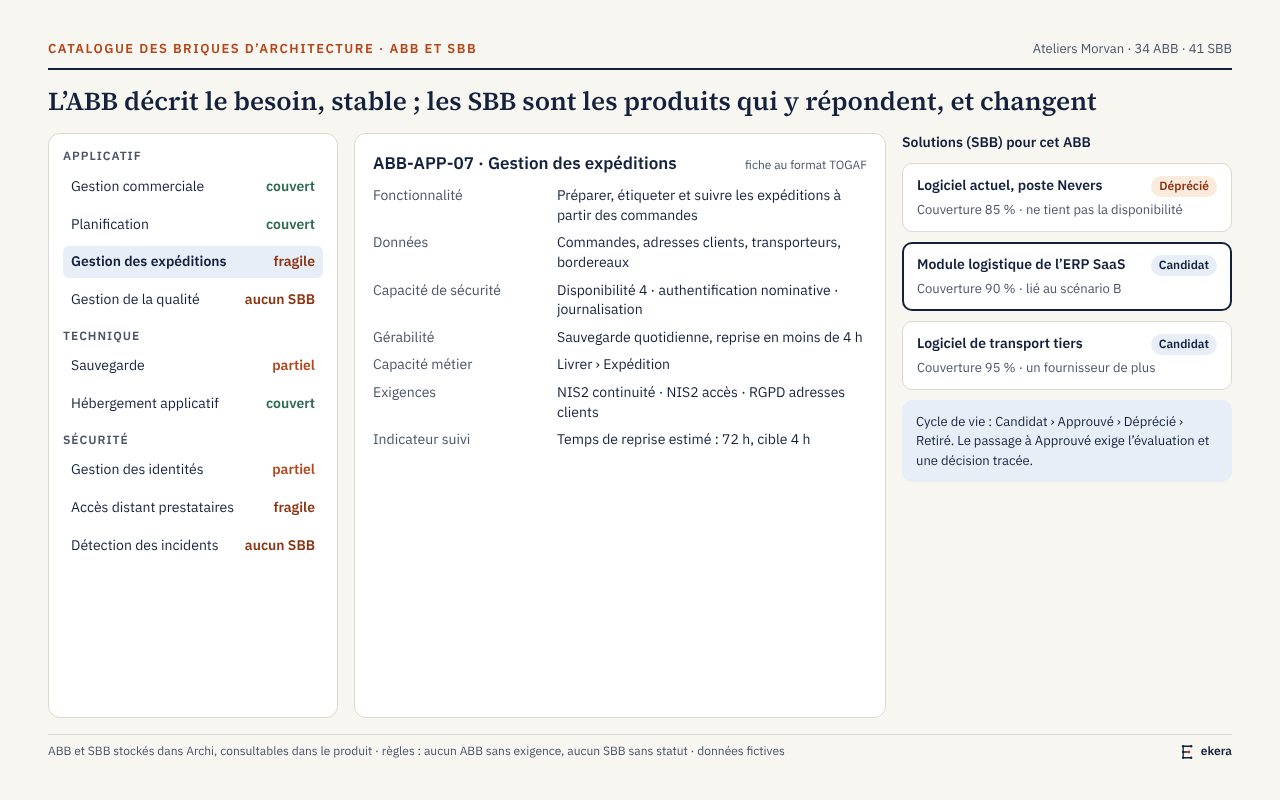
ABB and SBB catalogue
Module: Action plan · Enterprise architecture
Sourcing and decision
Module: Action plan
| Where to look | Option |
|---|---|
| 1. Already in house | Cloud directory, feature included in your licences, not enabled |
| 2. Approved by your purchasing team | No approved product for this need |
| 3. Market | Option A, list price · option B, qualified by ANSSI |
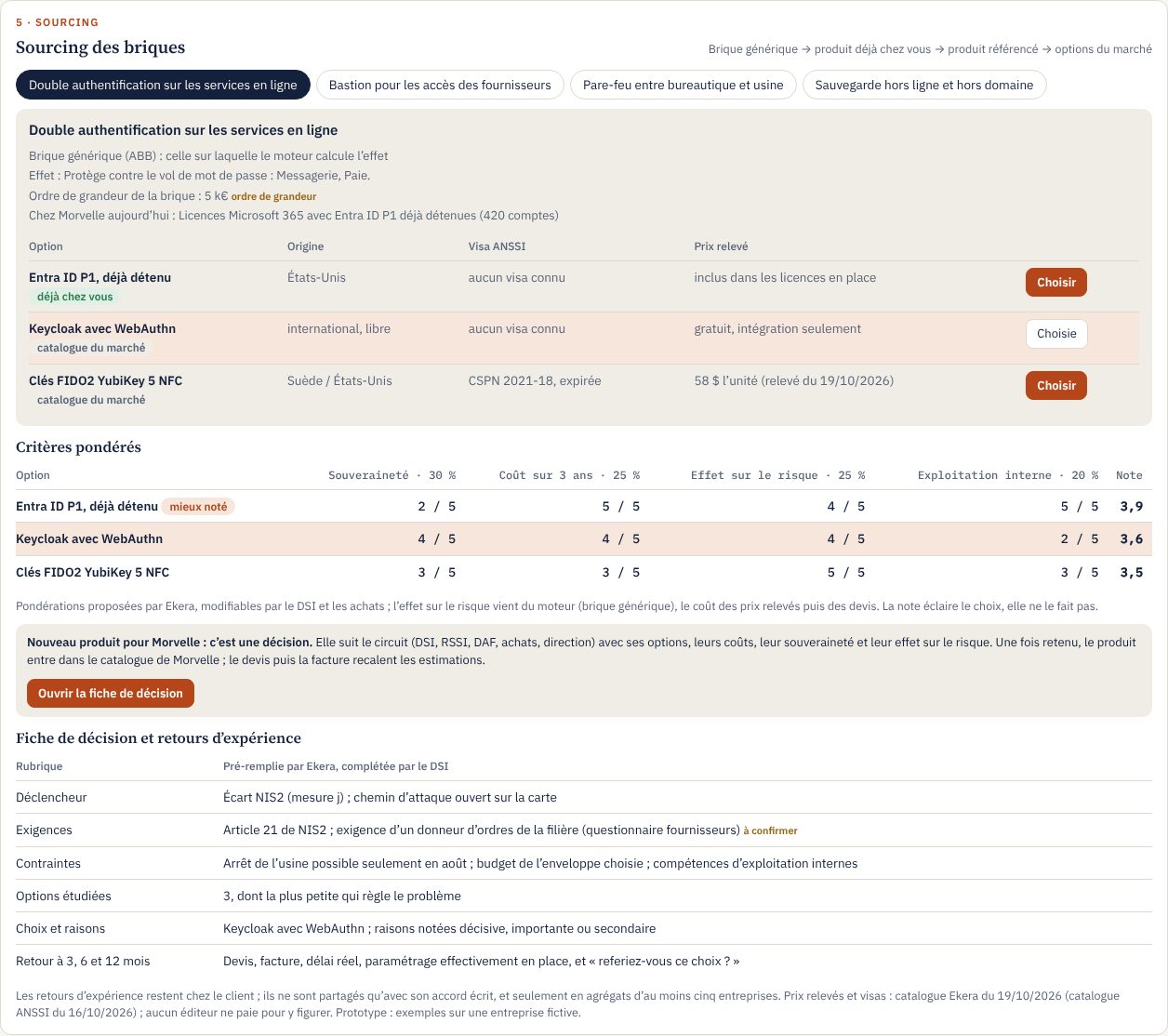
First, what you already have. For each need, Ekera looks at your building blocks in place, then the products approved by your purchasing team, then the market, with prices recorded and dated, or “on quote”. Feedback at 3, 6 and 12 months shows what the building block really cost.
Document chain
Module: Enterprise architecture
| Document | Status |
|---|---|
| ERP technical architecture document, on your template | to review |
| Security accreditation file | 3 gaps flagged |
| ERP HLD | approved |
| EBIOS RM risk analysis, workshops 1 to 3 | draft |
Sources: directory, licence contract
Your templates, filled from the map. The technical architecture document first, then the security accreditation file, the HLD and EBIOS RM: Ekera fills in what the map establishes, each value with its source and the figures from the engine, and marks the rest “to be completed”. No text in the document is written by a model. The architect reviews and approves in Ekera, then downloads it as Word or PDF; publishing to SharePoint or Confluence is optional. Approved changes flow back to your repositories.
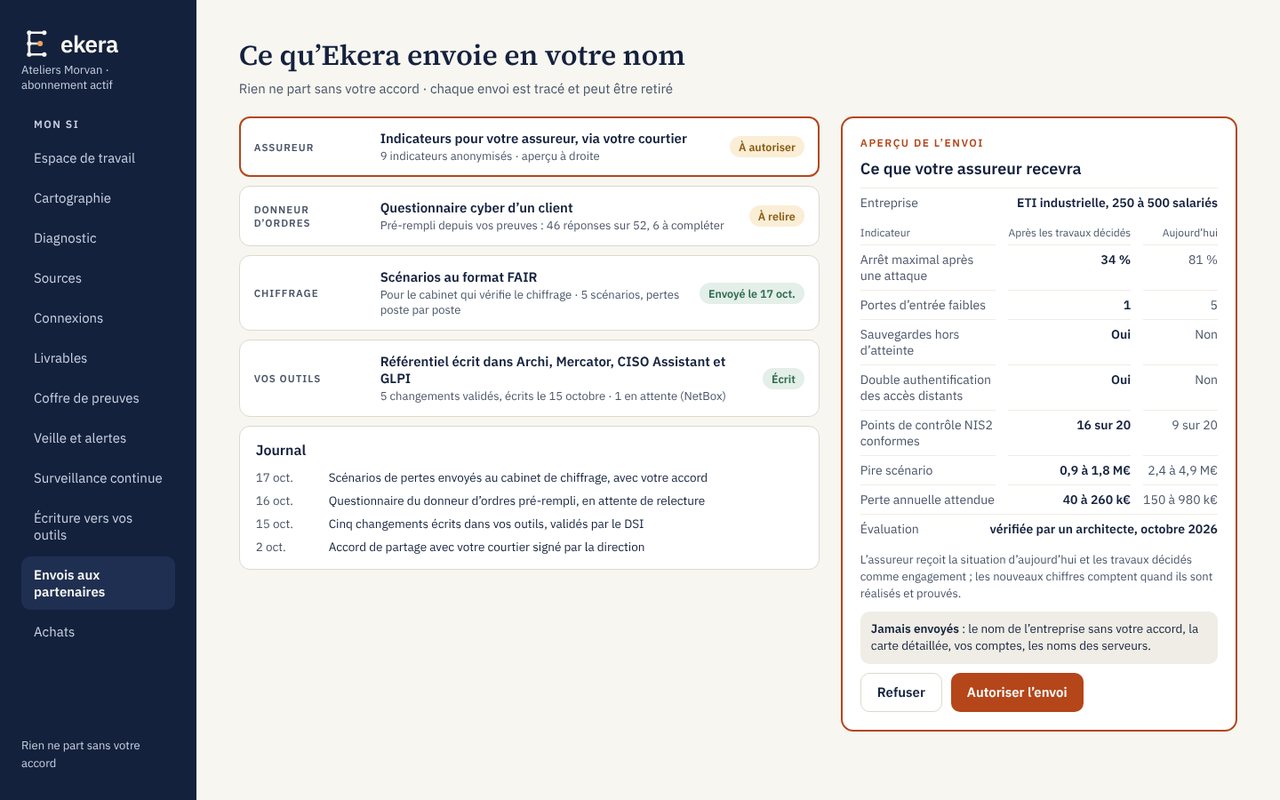
Shared with your consent
Sharing: decided by you
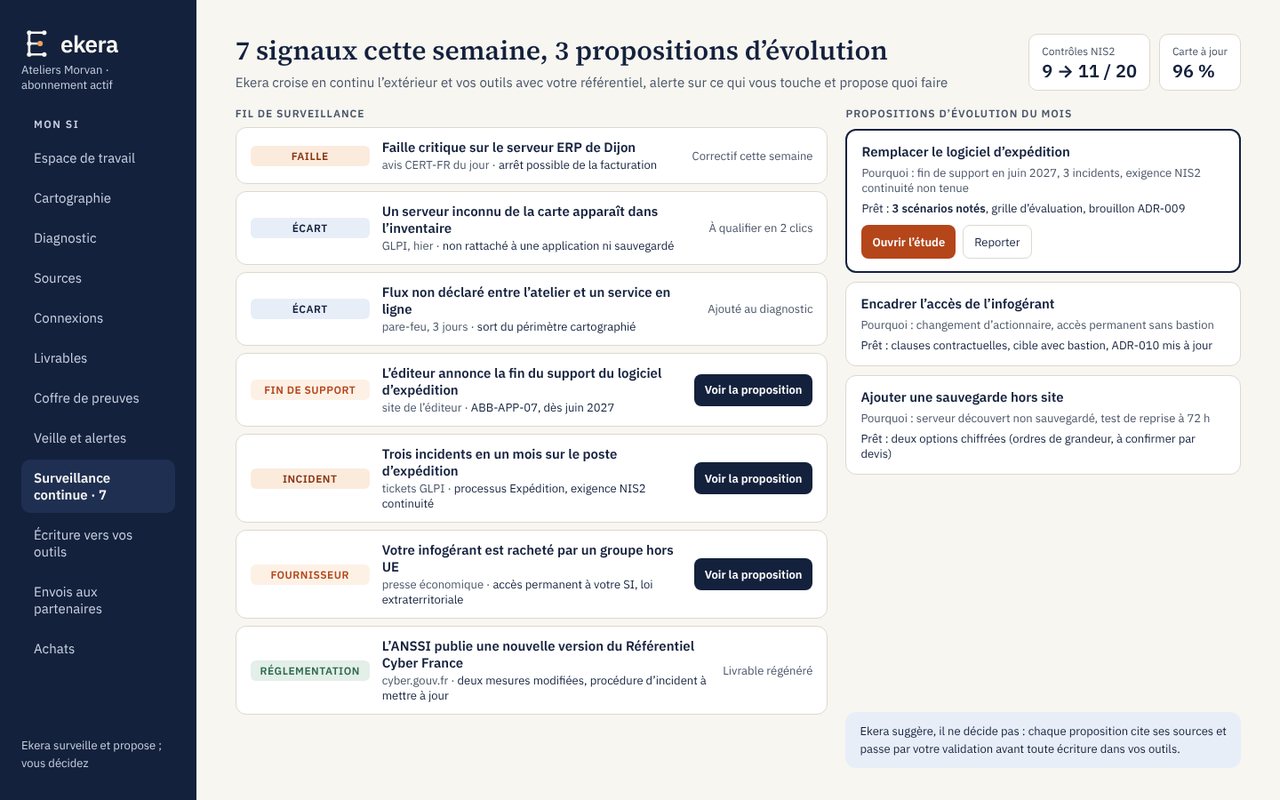
Monitoring and proposals
Module: Continuous monitoring
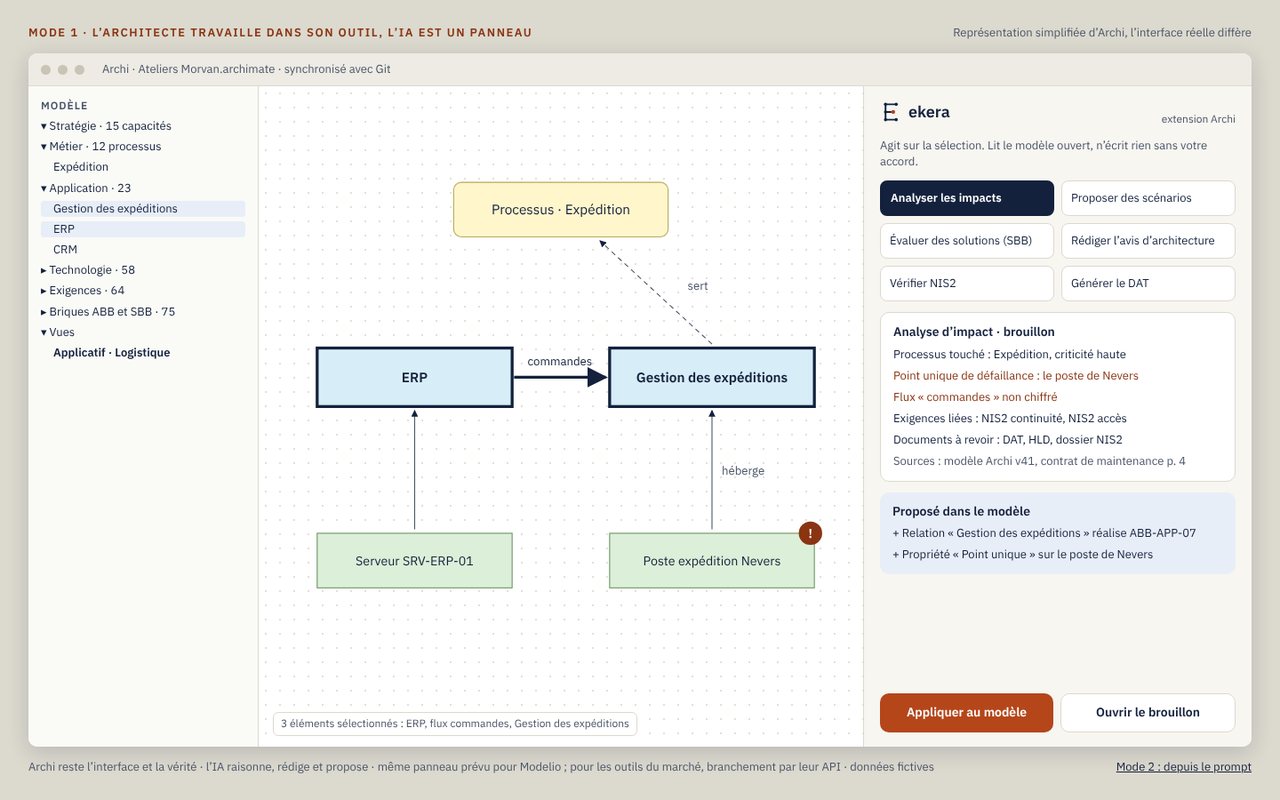
From Archi
Module: Enterprise architecture
From need to application: your information system (IT) keeps pace with the business, in real time
The need
- The business wants its applications in days, not quarters, and its needs change from one week to the next
- Tools that generate code and infrastructure are fast, but they ignore your real IT: dependencies, sensitive data, company rules, NIS2
- The result: applications built in a vacuum, which security either blocks or lets through without seeing them
Ekera’s role
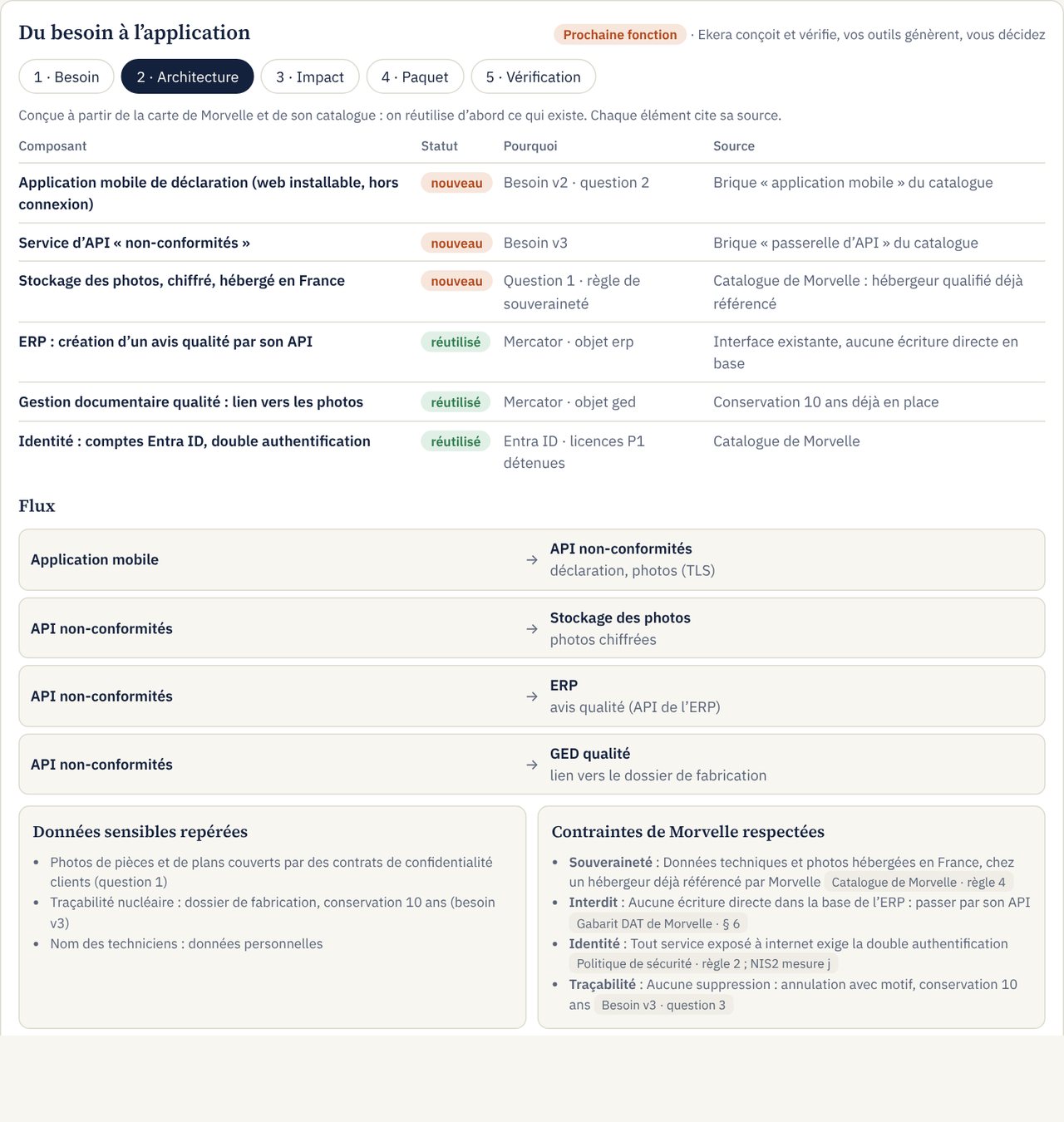
- The plan: from the map, the target architecture and the API contracts, reusing what you already have first
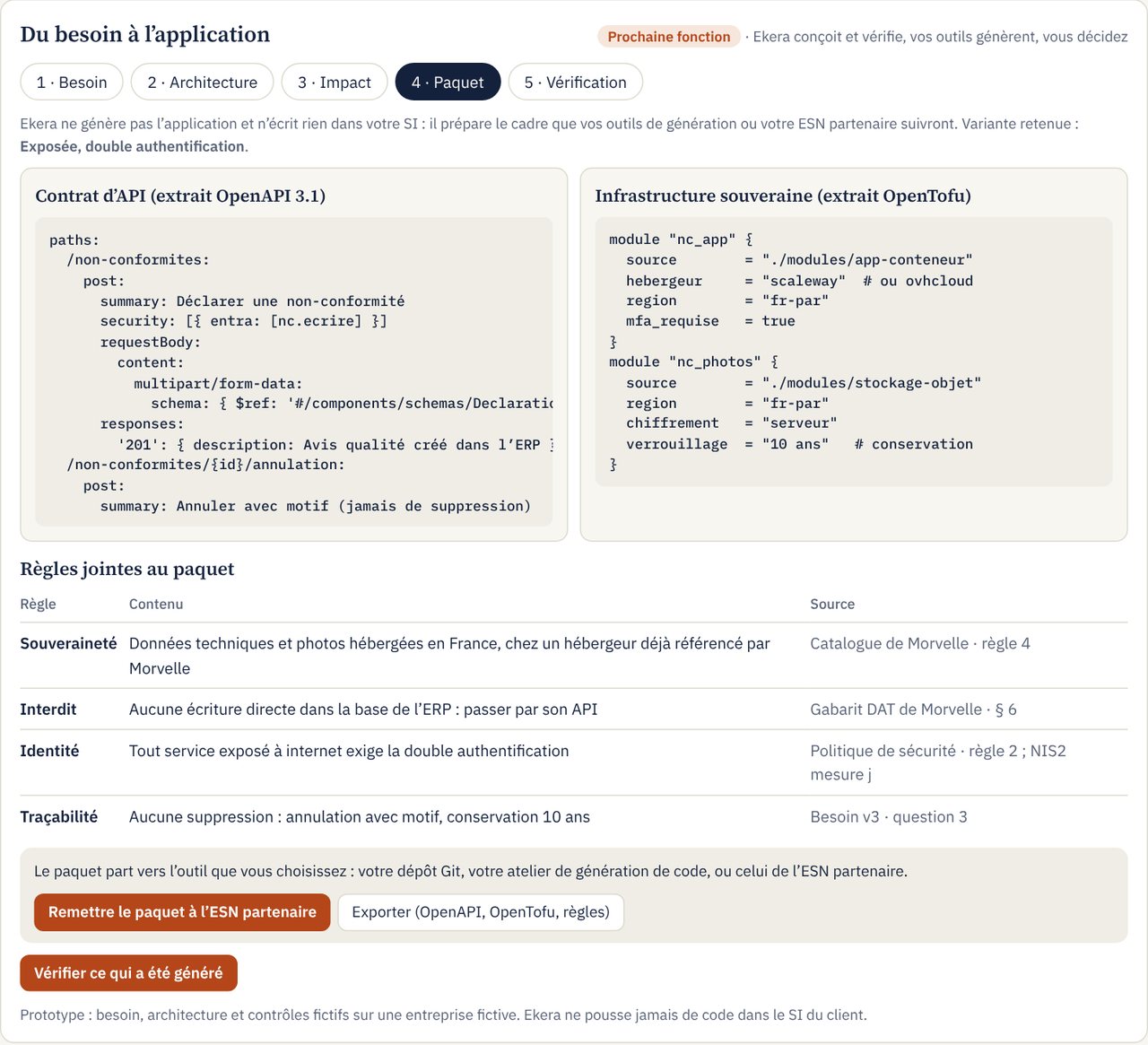
- The constraints: your sovereignty rules, your prohibitions and NIS2, attached to the package handed to your generation tools or your IT services firm
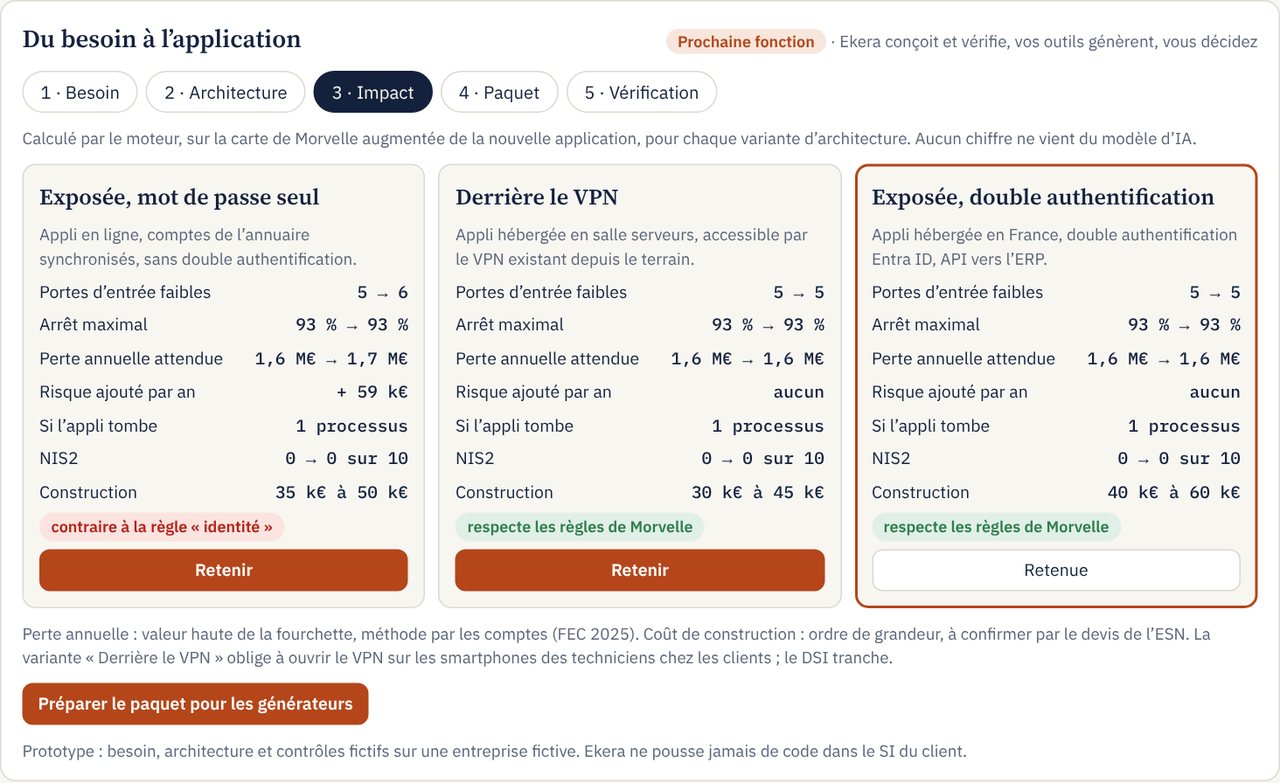
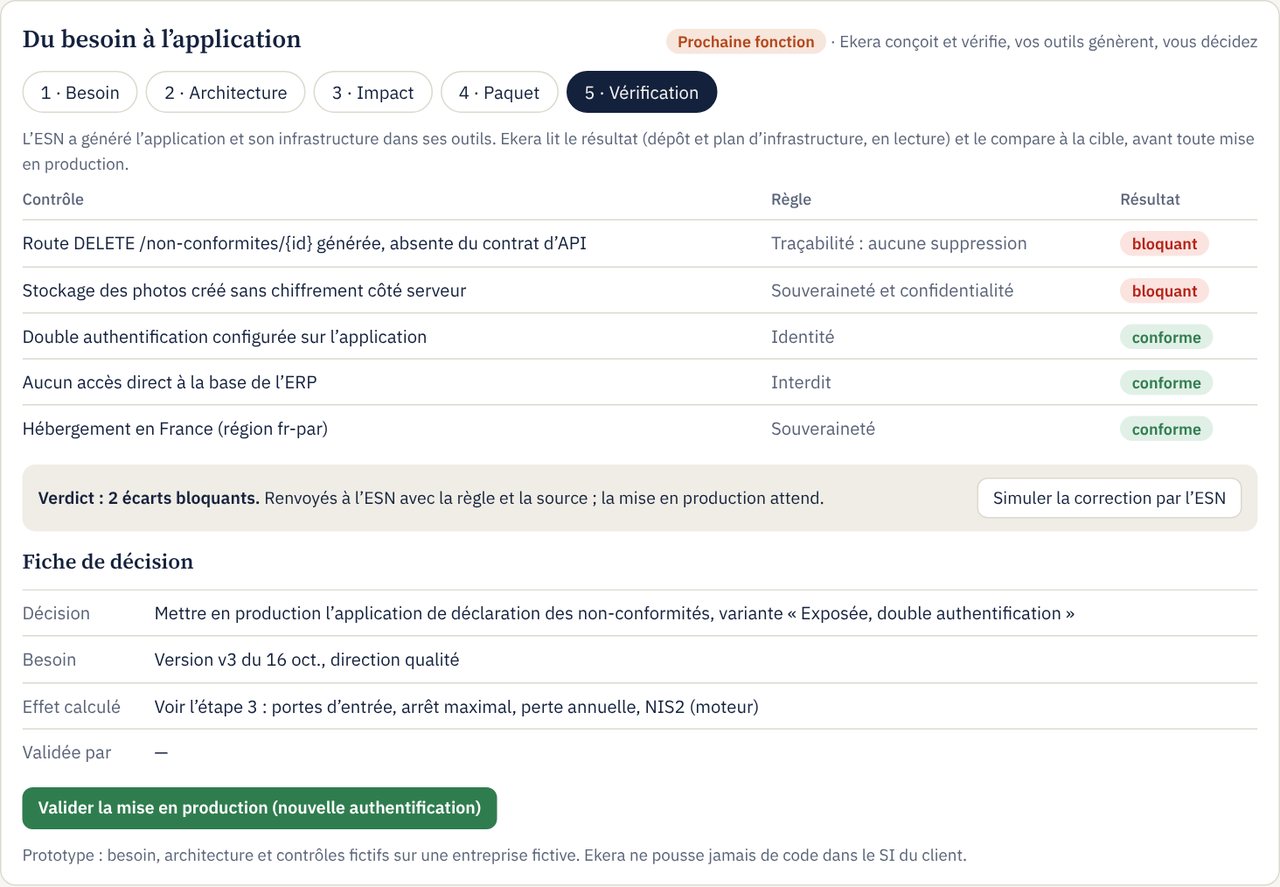
- Risk priced before building: the engine compares the variants in euros
- Verification before go-live; the map updates itself, you decide
Complementary to code and infrastructure generators, not a competitor: Ekera designs and verifies, your tools or your partner IT services firm generate. Ekera never pushes code into your systems.
The need and its versions
Module: Enterprise architecture
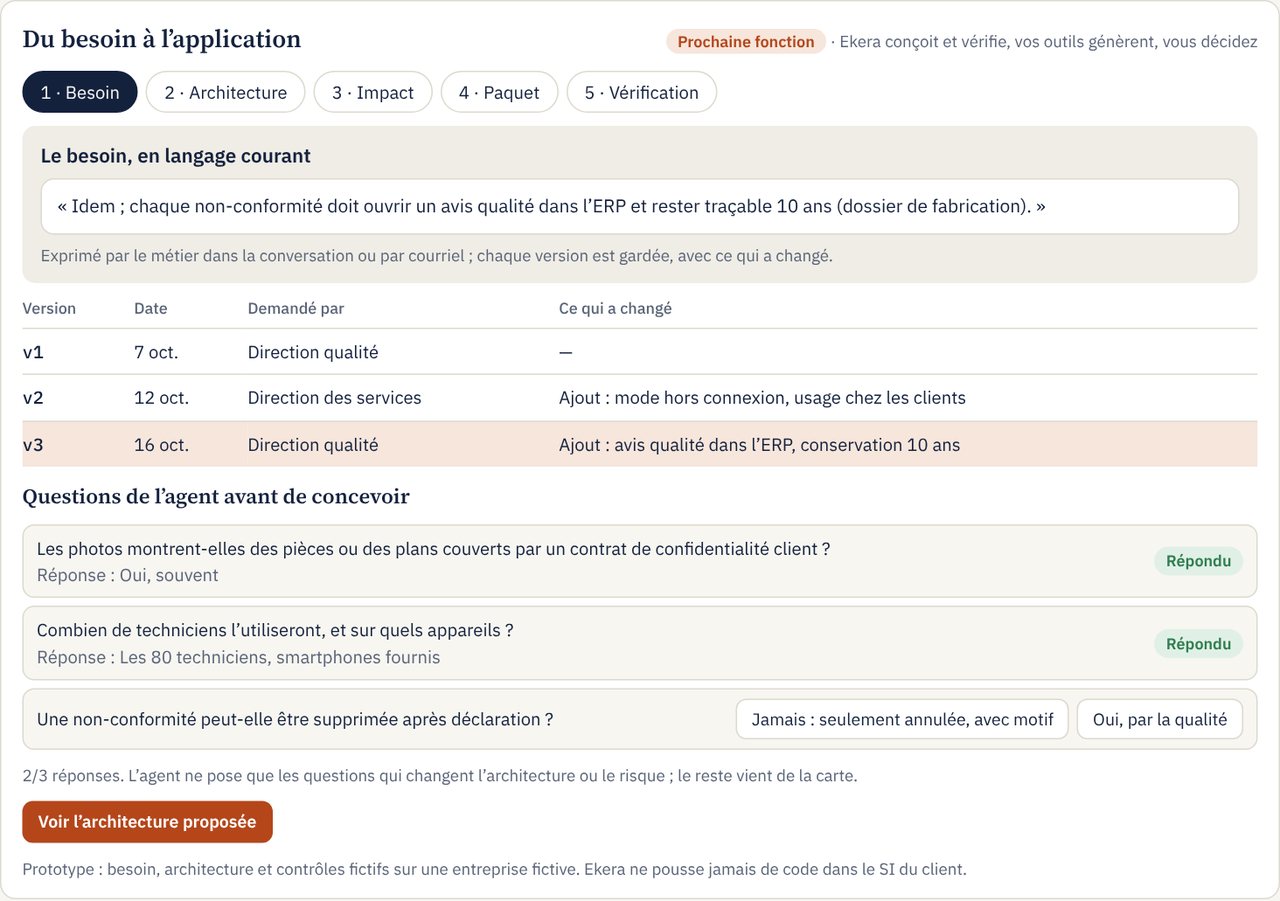
Proposed architecture
Module: Enterprise architecture
Impact calculated before building
Module: Risk analysis · Costing in euros
Package for generators
Module: Enterprise architecture
Check before production
Module: Enterprise architecture
Sourcing, monitoring, documents and vault
What the architect and the CISO do every week, kept up to date from the map: choosing a product, following alerts, publishing documents, keeping evidence.
Weighted sourcing
Module: Action plan
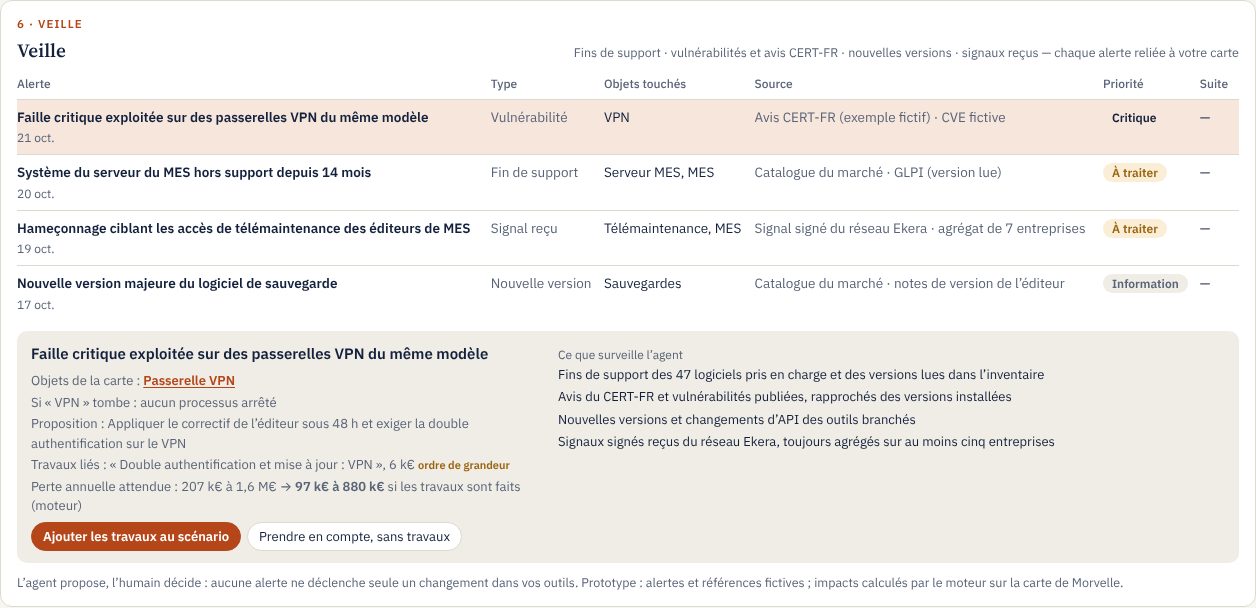
Monitoring agent
Module: Continuous monitoring
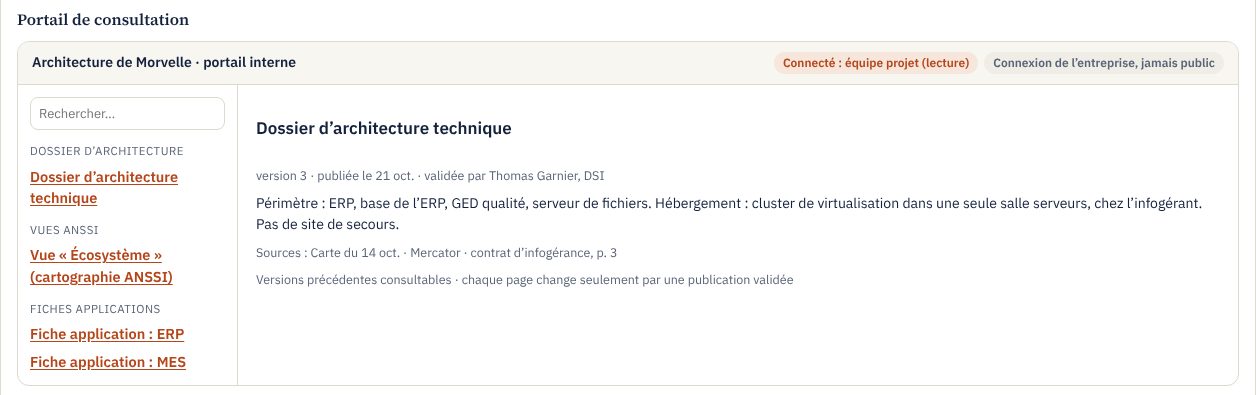
Reading portal
Module: Enterprise architecture
Vault
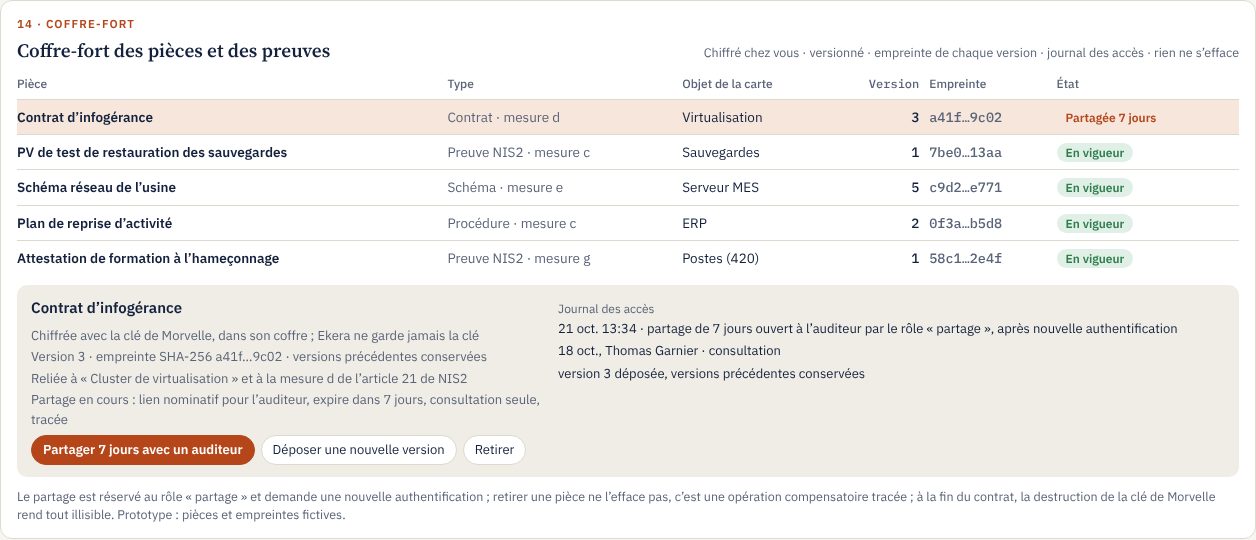
Module: NIS2
Mapping, NIS2 progress, risk in euros: deliverables drawn from the same map
Every deliverable is filled from the map: each value cites its source, the figures come from the calculation engine, and whatever no source establishes stays marked “to be completed”.
The document chain
- 1 · Template Yours Your template for technical architecture documents or HLD, or ANSSI’s for accreditation and EBIOS RM.
- 2 · Filling From the map Ekera fills in what the map establishes, each value with its source and the figures from the engine; the rest is marked “to be completed”. No text is written by a model.
- 3 · Review By the architect In Ekera’s “Documents” screen, the architect corrects, completes and approves, section by section.
- 4 · Distribution Word, PDF or online Download as Word and PDF; optionally, publication to your document tool, SharePoint or Confluence, with the date and the approver’s name.
- 5 · Feedback Back to your repositories Approved changes flow back to Archi, Mercator or GLPI, one by one.
The same cross-check of directory, inventory and contracts spots unused licences: disabled accounts that keep a licence, software installed but never opened. Every line cites its source; you decide what is returned.
A useful map evolves with your information system
Applications, infrastructure, suppliers and requirements change over time: an initial analysis loses relevance if it is not updated. Ekera spots the changes that may alter earlier findings.
Every alert and proposed scenario links to the information it rests on. Their scope depends on the sources and connectors plugged in at your company. See the screen
Request an assessment
A first 30-minute call: framing your need, the possible scope and the list of information needed for the assessment. The initial assessment starts from your documents and exports, with no direct access to your information system.
Read next
- The methodFrom mapping the information system to the investment decision.
- Tools and architectureRead-only connectors, enterprise architecture, catalogue and purchasing.
- Video demoEkera in 3 minutes, and the online assessment, on fictitious cases.