 ekera
ekera Start from what exists
The analysis starts with the components and solutions already in your IT: possible reuse, dependencies involved, needs that call for a new solution.
Build on what you have rather than rebuild your information system: your tools remain your references, Ekera complements them.
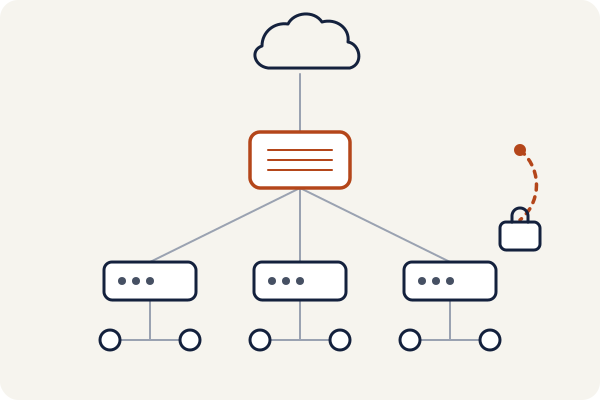
The initial assessment relies on your documents and exports. To keep the map up to date, Ekera can then use connectors, read-only APIs or a collector installed on your premises, depending on the integrations available; access arrangements are defined with your IT team. Your management, inventory, architecture and compliance tools remain your references: Ekera complements them, and writes to them only after approval, within each tool’s rights and capabilities. One tool is authoritative for each type of object.
Your changes stay under your control: approval, traceability and rollback.
| What is stored | Reference tool | What Ekera reads | What Ekera writes, after approval |
|---|---|---|---|
| Architecture views and scenarios | Archi | The model, at every save | Proposed views and relationships |
| Applications and flows | Mercator | Applications, flows, owners | Statuses, new applications, building blocks |
| Equipment | GLPI or iTop | Workstations, servers, software and versions | End of life, backups, failover |
| Network | NetBox | Zones and crossings between zones | Crossings to filter |
| Compliance | CISO Assistant | Controls and evidence | NIS2 actions, dated evidence |
| Purchasing and suppliers | Your purchasing software | Quotes, orders, contracts, suppliers, invoices | Quote requests, approved by your purchasing team; never an order |
Do you use other open tools, such as MONARC for risk analysis? Ekera can connect to them on request.
The connector is written in a few days from the vendor’s documentation, then tested on your premises before it reads anything.
Ekera never places an order.
Your purchasing software is usually the purchasing module of your ERP (Sage X3, Divalto, Cegid, Microsoft Dynamics 365, SAP) or a procurement suite (Ivalua, Coupa, SAP Ariba). Without a purchasing tool: Dolibarr, French open-source software, or the GLPI Management module.
IT projects must respect the company’s business, technical, economic and security constraints. Ekera links these constraints to the map to prepare architecture scenarios and assess their consequences.
The analysis starts with the components and solutions already in your IT: possible reuse, dependencies involved, needs that call for a new solution.
Scenarios are compared by their consequences on architecture, risks, costs and identified constraints; the engine prices each variant.
Technical architecture documents, security accreditation file, HLD, EBIOS RM: Ekera fills what the map establishes, each value with its source, and marks the rest “to be completed”; the responsible architects review and approve in Ekera before any publication.
The target architecture and your constraints are handed to your code or infrastructure generation tools, or to your teams. Generation, verification and release to production stay separate, with a check at each step.
An Ekera panel inside the Archi tool and the building-block catalogue are shown in the screens; the need-to-application journey, in its screens, fictitious data.
A security measure can be implemented in several ways: the choice depends on requirements, tools already in place, costs and constraints. Ekera structures this comparison, starting from the need, what exists and the company’s constraints.
ABBs state what is needed (“remote access with two-factor authentication”), SBBs state with which solution and at what cost. Each building block is linked to security measures, NIS2 controls and the calculation: putting it in place changes the euros. A monitoring agent, an assistant that watches ends of support, vulnerabilities and prices, proposes updates; an Ekera architect approves them before publication.
Each building block put in place produces a feedback record: planned and actual cost and lead time, difficulties met, observed effect. Anonymised and aggregated, with each customer’s written consent, these records will make estimates more accurate for the next customers: everyone benefits from the others’ experience.
Backup out of reach, control of remote access, vulnerability monitoring: the architecture needs (ABBs), common to all, linked to the NIS2 measures and the calculation.
The solutions (SBBs) that meet the need, with their features, limits, ANSSI qualifications and list prices recorded and dated; otherwise “on quotation”, rather than an invented figure.
Solutions installed, licences held, approved suppliers and your negotiated prices. This catalogue belongs to you alone.
Actual cost and lead time, difficulties met, observed effect on the calculation. Your feedback first enriches your own catalogue. It only serves other customers anonymised, aggregated over at least five companies, and with your written consent.
A first 30-minute call: framing your need, the possible scope and the list of information needed for the assessment. The initial assessment starts from your documents and exports, with no direct access to your information system.